

Configuration drift
See what changed, down to the line.
Compare observed app files with the exact pinned package or Git source. Inspect verified differences and identify findings that still need evidence. Turn a finding into a scoped fix plan that your team reviews before it runs.
No credit card required · €10 one-time signup credit
Updated
Walkthrough steps
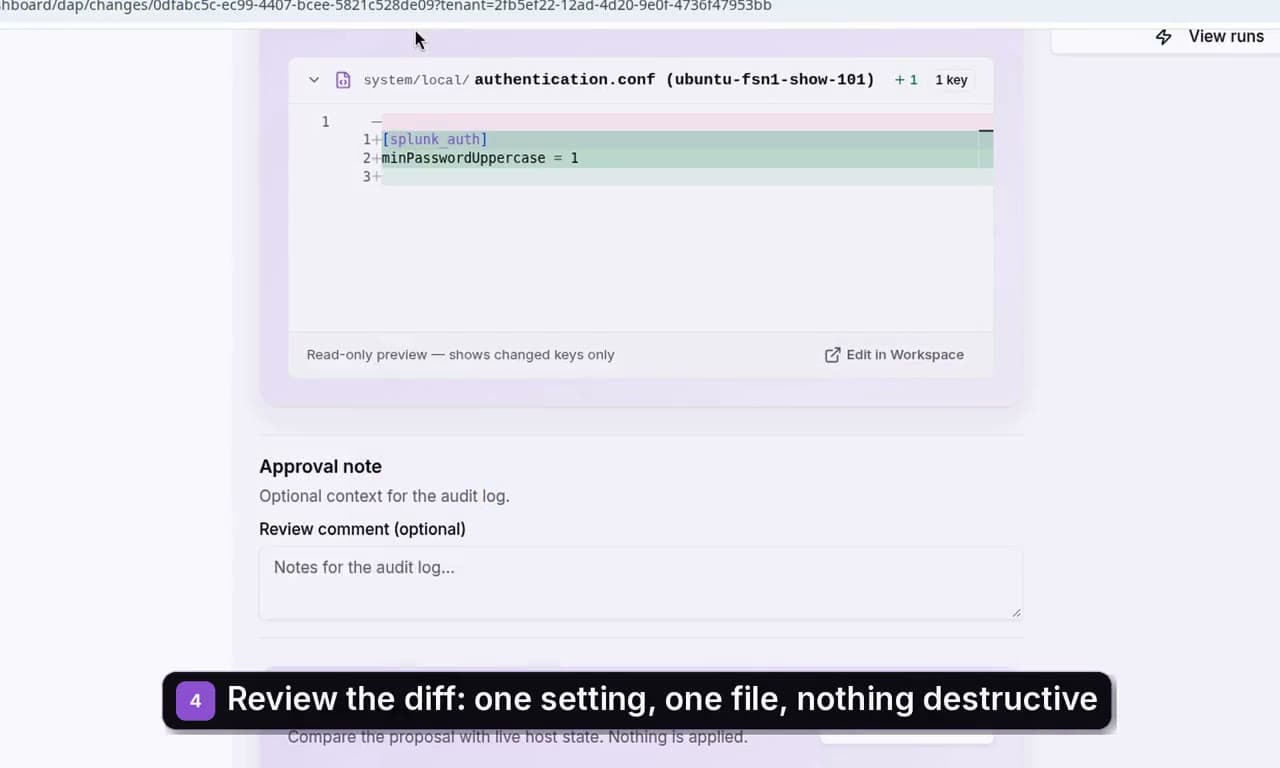
Compare the fleet with the Splunk hardening baseline. Review a password-policy finding and create a scoped change request. Approve and run it, then check the observed configuration and the activity record.
What you can do
- App drift tied to a pinned Registry release or Git commit, rather than an assumed baseline.
- Verified file differences separated from findings that need more evidence.
- A scoped fix with review, approval, execution, and post-change verification recorded.
How it works
Choose the source
Review the app’s source mapping and pinned Registry release or Git commit. Package comparisons use the exact pinned archive. A hardening-baseline finding is a separate comparison against the selected configuration rules.
Inspect the evidence
Open a finding and check the host, app, file, and verification status. Read the verified difference where evidence is available. Filter findings that still need evidence instead of treating missing observations as a confirmed configuration change.
Prepare a scoped fix
Open the configuration review from the finding. Inspect the proposed setting or file change and named targets, then create a change plan. An authorized person reviews and approves the proposal before execution.
Check after the run
Follow the execution and check the host’s observed configuration afterward. A completed run and a verified finding are separate states. Keep findings awaiting verification visible until the required evidence arrives.
Before you begin
- Enrolled hosts supplying file and configuration observations.
- A mapped and pinned package or Git source for app drift comparisons.
- The relevant configuration access and review permissions to propose a fix.
Common questions
Is app drift the same as a hardening finding?
No. App drift compares observed files with their pinned source. A hardening finding compares settings with a selected baseline. The recording on this page shows a hardening finding becoming a reviewed change plan.
What if the evidence is incomplete?
Inspect the finding’s verification status and collect the missing observations. Deslicer distinguishes findings needing evidence from verified differences, so a missing file sample should not be presented as proof of drift.
Does this establish compliance or certification?
No. The workflow provides configuration evidence and a reviewable change history. Your team decides which requirements apply and how the evidence supports its assessment.
Related workflows
Further reading
Inspect one configuration finding
Start with a known app source and one host. Compare the evidence, then review any proposed fix with your team.
No credit card required · €10 one-time signup credit