

Security advisories
Find affected hosts. Review the fix.
Connect a Splunk security advisory to the hosts it affects. Review the reported versions and supporting evidence, prepare an upgrade or mitigation plan, and keep the approval, run, and result connected to the finding.
No credit card required · €10 one-time signup credit
Updated
Walkthrough steps
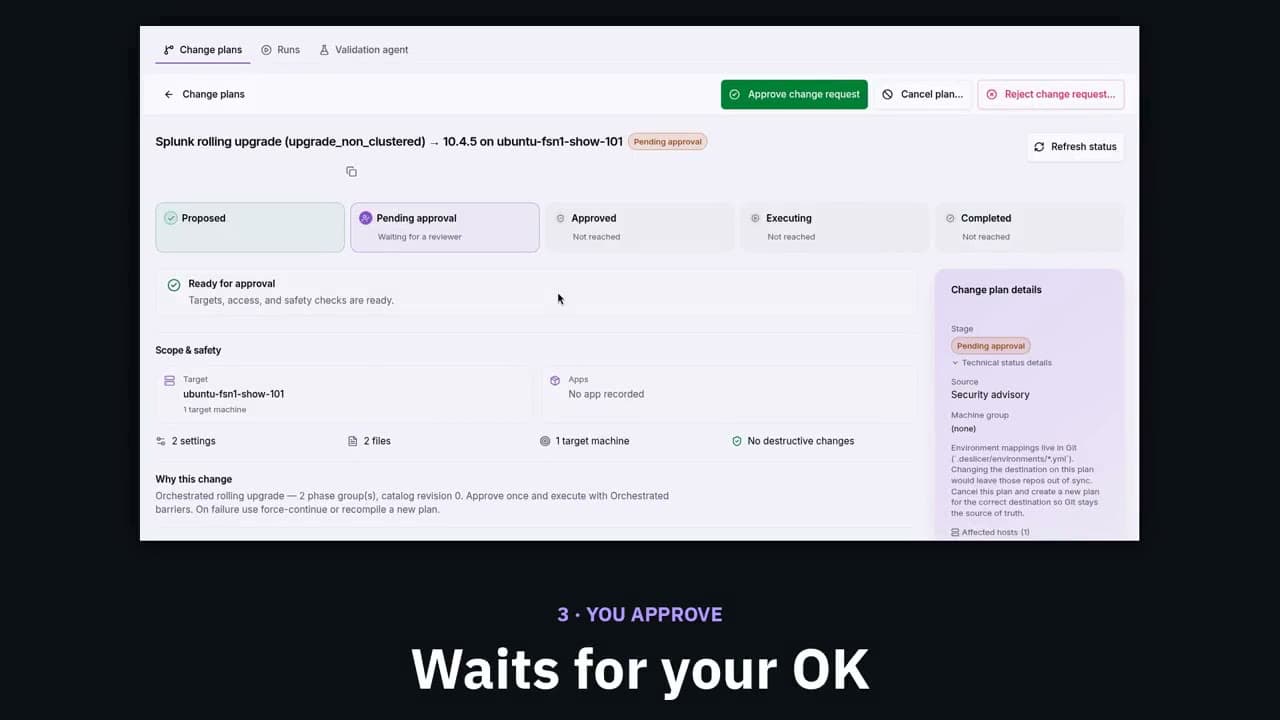
Open the affected host, review the proposed upgrade, approve the change request with a note, and follow the run. This excerpt shows one recorded workflow; release availability and advisory coverage vary.
What you can do
- Affected-host evidence alongside the advisory and recommended response.
- A change plan with named targets and a package or configuration change to review.
- A record of the approval, execution, and subsequent host observations.
How it works
Inspect the advisory
Open security advisories in Fleet, or ask about an advisory in Chat. Check the affected products, versions, and hosts against the inventory available to your workspace. Review the evidence before deciding which hosts need attention.
Prepare the response
Choose a supported upgrade or mitigation and select its targets. For a non-clustered Splunk upgrade, select the stored package, check readiness, and review the proposed schedule. Creating a request leaves it waiting for review.
Review and approve
Inspect the scope, prerequisites, and proposed changes. An authorized reviewer approves the plan and can leave a note. Approval records the decision; starting the run is a separate action.
Run and check the result
Follow the approved run and inspect per-host results. Then check fresh host evidence against the intended version or setting. Keep the outcome linked to the original advisory, including any failures that still need attention.
Before you begin
- Advisory access enabled for your workspace and enrolled hosts reporting current inventory.
- An available upgrade package or supported mitigation for the affected Splunk installation.
- Configured host access and an authorized reviewer before execution.
Common questions
Does Deslicer patch hosts automatically?
No. The workflow prepares a change plan for a person to review. Approval and execution are separate steps, followed by a check of the resulting host state.
Does it cover every Splunk advisory?
Coverage depends on the advisory information, supported products, and host evidence available to the workspace. Inspect each finding and its evidence; an empty findings list is not proof that an environment has no vulnerabilities.
Which Splunk upgrades can I plan?
This workflow supports non-clustered Splunk upgrades. Review host readiness and the selected package before creating the request. Clustered upgrades are outside the scope described here.
Related workflows
Further reading
Review your first advisory
Connect your Splunk environment and inspect one finding with your team. Check the available evidence before preparing a change.
No credit card required · €10 one-time signup credit